Beginner Smartphone Photography Setup: Gear for Better Shots

Beginner Smartphone Photography Setup: Gear for Better Shots

Daria AparinaCurated by Daria Aparina

The Four Things That Actually Sharpen Your Phone Photos

Most disappointing phone photos do not come from a weak camera, they come from a hand that moved during the shot, a lens smeared with pocket lint, or light falling from the wrong direction. The phone already resolves more detail than most beginners ever use, so the first things worth buying are the ones that remove those three problems rather than chase megapixels. If you are still weighing up whether photography is the hobby you want to commit to, this part is reassuring, because almost everything here costs less than a single dinner out. The four items below cover stability, a clean lens, shake-free shooting, and controllable light.

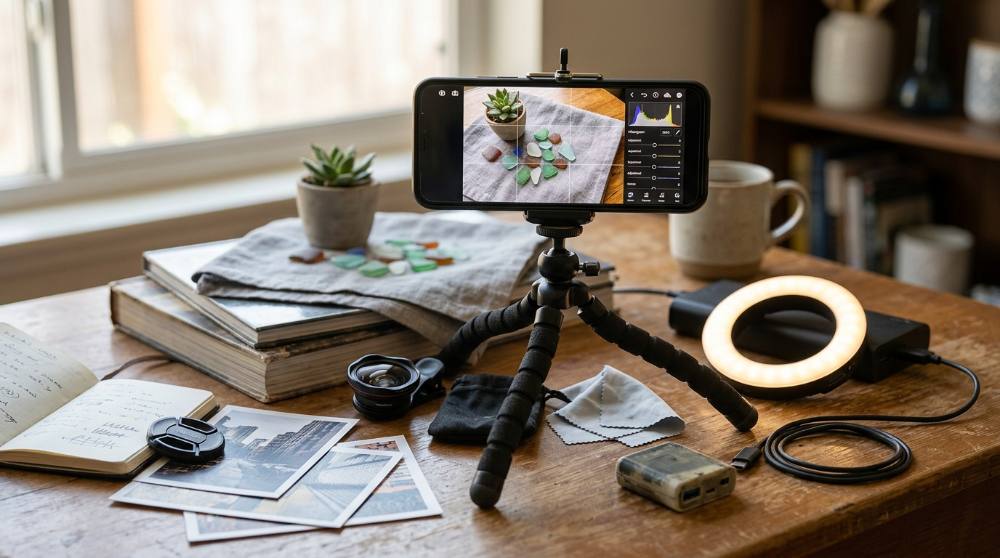
My honest advice is to resist filling a camera bag on day one. A small tripod, a microfiber cloth, an inexpensive Bluetooth remote, and one dimmable light will teach you more about sharp, well-lit images than any clip-on gadget, and all four fit in a jacket pocket.

I worked through the supplies that get recommended again and again to new phone photographers and kept only the ones that are easy to find, forgiving for a first-timer, and priced without sticker shock.

Extendable phone tripod with wireless remote shutter

Extendable phone tripod with wireless remote shutter

An extendable phone tripod combines telescoping legs with an adjustable phone clamp and, in most cases, a detachable Bluetooth remote. It holds the camera completely still for low-light shots, self-portraits, and group photos, and the height range lets you frame from tabletop level up to eye level. When choosing one, look for a stable leg-locking mechanism, a clamp that grips your phone securely, and a head that tilts to vertical for both landscape and portrait orientations.

Why is this important?

A steady base removes the single most common cause of blurry phone photos, the tiny hand movements that happen during the exposure, and it makes night shots and self-timed group photos possible at all.

Why this choice?

The EUCOS 62-inch phone tripod pairs a genuinely usable working height with a detachable wireless remote at a low price, and its 4.6-star rating across nearly 20,000 reviews points to build quality that is unusual in this budget range.

Microfiber cloths for cleaning phone camera lenses

Microfiber cloths for cleaning phone camera lenses

Microfiber cleaning cloths lift oil and dust off camera glass without scratching the coating or leaving lint behind. A phone lens collects fingerprints and pocket grime constantly, and even a thin smear softens contrast and adds haze to every photo. Look for a tightly woven, washable cloth sold in a multipack so you can keep one in each bag or pocket.

Why is this important?

A smudged lens quietly degrades every single photo you take, and no amount of editing fully recovers the lost contrast, which makes wiping the glass the cheapest quality upgrade available.

Why this choice?

The MagicFiber microfiber cloth six-pack is the most-reviewed option in its category, holding 4.7 stars across more than 75,000 ratings, and the multipack keeps a clean cloth within reach for under ten dollars.

Wireless Bluetooth shutter remote for phone cameras

Wireless Bluetooth shutter remote for phone cameras

A Bluetooth shutter remote pairs with your phone and triggers the camera from a short distance away. Pressing the on-screen button nudges the phone just as the shutter fires, which is enough to blur a low-light or zoomed frame, and a separate remote removes that nudge entirely. Useful features include a wrist strap, long battery life from a single coin cell, and compatibility with the photo and video modes of both iPhone and Android.

Why is this important?

Tapping the screen to take a photo introduces motion at the exact moment sharpness matters most, and a remote lets you shoot from a tripod, in self-portraits, or in dim light without touching the phone.

Why this choice?

The Zttopo wireless camera remote shutter ships as a two-pack so a spare lives in another bag, holds 4.6 stars across more than 8,000 reviews, and costs under ten dollars, a hard combination to beat for such a simple tool.

Rechargeable pocket LED light panel for phone photography

Rechargeable pocket LED light panel for phone photography

A pocket LED panel is a small, rechargeable light you position near a subject to fill shadows and add controllable illumination. Built-in dimming lets you match the brightness to a scene, and the compact body fits in a pocket or mounts on a small tripod. Look for a rechargeable internal battery, even output without bright hot spots, and a diffused face that softens the light.

Why is this important?

Light shapes a photograph more than the camera does, and a single controllable source rescues dim indoor scenes, food shots, and portraits that a phone would otherwise render noisy and flat.

Why this choice?

The ULANZI VL49 rechargeable LED panel is a long-running favorite among phone shooters, with 4.6 stars over 9,000 reviews, a built-in battery that avoids fiddly disposable cells, and a price under twenty dollars.

With these four in hand you can shoot in dim rooms, photograph yourself or a group without sprinting back into frame, and stop losing pictures to a foggy lens. Spend a few weeks here before buying anything else, because the habit of bracing the phone and wiping the glass does more for your results than any new gear. Once your shots are consistently sharp, you will be far better placed to judge how a phone really compares to a dedicated camera for a beginner instead of guessing.

Where to Spend Once the Basics Feel Natural

This is the tier where beginners tend to overspend, so treat it as optional rather than a checklist to complete. Clip-on lenses, a flexible tripod, a gimbal, and a ring light each unlock one specific style, whether that is macro detail, awkward low angles, smooth motion, or flattering portrait light, but none of them fixes a fundamental skill. Photography is one of the more forgiving creative pursuits to pick up later in life precisely because you can add capability slowly as you hit real limits. Add one of these only when you feel a genuine wall in what you can already do with the essentials. And if you like shooting away from home, it is worth thinking about how a compact creative kit actually fits into a day bag before you commit to bulkier equipment.

Clip-on macro and wide-angle lens kit for phones

Clip-on macro and wide-angle lens kit for phones

A clip-on lens kit adds optical attachments, usually a wide-angle and a macro lens, that clamp over the phone's existing camera. The wide lens broadens the field of view for interiors and landscapes, while the macro lens focuses on tiny subjects the phone cannot resolve on its own. Quality varies widely between brands, so prioritize a secure clip, glass rather than acrylic elements, and reviews that speak honestly about edge sharpness.

Why is this important?

Clip-on lenses open specific styles, close-up macro detail and wider framing, that a phone's fixed lenses cannot reach, which is exactly why they belong in the optional tier rather than the essentials.

Why this choice?

The Xenvo Pro lens kit is the most established option in this crowded, hit-or-miss category, bundling a macro and wide-angle pair with a clip-on light and case, and it is backed by more than 21,000 reviews at a solid 4.2-star average.

Flexible bendable-leg mini tripod for phones

Flexible bendable-leg mini tripod for phones

A flexible tripod has bendable, wrappable legs that grip railings, branches, and uneven surfaces where a rigid tripod cannot stand. It folds small enough for a bag and suits low angles, tabletop setups, and travel. Look for legs that hold their shape under the weight of a phone and a clamp or mount that does not sag once positioned.

Why is this important?

Many of the most interesting phone photos come from angles you cannot hold steady by hand, low to the ground or wrapped around an object, and a flexible tripod makes those positions repeatable.

Why this choice?

The UBeesize Phone Tripod Pro S is the reference point for this style, with bendable legs, a bundled remote, and 4.4 stars across more than 31,000 reviews, all for around twelve dollars.

Three-axis handheld gimbal stabilizer for smartphone video

Three-axis handheld gimbal stabilizer for smartphone video

A motorized three-axis gimbal holds the phone level and smooths out the shake of walking or panning, turning handheld clips into steady footage. Modern models fold flat, include a small built-in tripod, and offer subject tracking that keeps a moving person centered in frame. For a first gimbal, look for dependable battery life, easy balancing, and reliable app connectivity rather than the longest feature list.

Why is this important?

Stabilization is the dividing line between casual and polished video, and a gimbal removes the jitter that no in-phone software fully corrects once you start moving the camera.

Why this choice?

The DJI Osmo Mobile 7 is the most widely recommended beginner gimbal, combining a built-in tripod, dependable ActiveTrack subject tracking, and around ten hours of runtime, with a 4.5-star rating from a trusted brand at a fair price for the category.

Ring light with adjustable stand and phone holder

Ring light with adjustable stand and phone holder

A ring light is a circular LED that surrounds the lens with even, shadow-reducing light, mounted on an adjustable stand with a phone holder. The color and brightness controls suit portraits, video calls, and close-up product shots where flattering frontal light matters. Look for adjustable color temperature, a stand that locks securely at a useful height, and a clamp sized to fit your phone.

Why is this important?

Even frontal light flatters faces and removes harsh shadows, which is why a ring light is the simplest way to make portraits, self-recorded video, and small-product photos look intentional.

Why this choice?

The Sensyne ring light with stand pairs a tall adjustable tripod with several color and brightness modes and a remote, and its 4.5-star rating across more than 70,000 reviews makes it one of the safest picks in a category full of flimsy stands.

Treat this tier as a slow, earned expansion rather than a single shopping trip, and add each piece only after the previous one has changed how you shoot. The framing and lighting instincts you build on a phone transfer almost completely, so when you eventually want manual control you can step up to a beginner DSLR photography setup without starting from scratch.

Why Do My Phone Photos Look Worse Than the Scene in Front of Me?

Why do my zoomed-in shots fall apart when I look at them later?

Pinching to zoom past the phone's true optical range is digital zoom, which simply enlarges and guesses at pixels rather than capturing more detail. Beginners reach for it because it feels like the obvious way to get closer, but the result is a soft, mushy image that no edit can rescue. The fix is to shoot at the standard 1x or the phone's real optical settings and physically move closer, then crop in afterward if you need a tighter frame.

Why does my clip-on lens make the edges of photos blurry?

Cheaper clip-on lenses are soft toward the corners by design, and the problem worsens when the clip sits slightly off-center over the phone's tiny lens or over the wrong lens on a multi-camera phone. People assume a sharp center means the lens is fine and blame the phone for the mushy edges. Center the clip carefully over the correct rear camera each time, expect some edge softness as normal for the price, and frame your subject toward the middle.

Why do my indoor photos come out grainy and orange even with a lamp on?

A dim room forces the phone to raise its sensitivity, which adds grain, while warm household bulbs throw an orange cast that auto white balance struggles to neutralize. The common reaction is to add more random lamps, which only mixes color temperatures and makes it worse. Use one dominant, dimmable light with adjustable color, position it off to the side rather than straight on, and tap to lock exposure so the phone stops hunting.

Why do my edits look great on my phone but bad on every other screen?

Phone screens are small, bright, and saturated, which tempts beginners to crank color and sharpness until the image looks punchy in their hand. On a laptop or someone else's phone those same edits turn skin tones orange and flatten skies into banded blocks. Edit with restraint, pull saturation and sharpening back from where they feel right, and check the photo on a second screen before you share it.

Love what you see here? Save individual picks with on any item, or copy the whole list to your own wishlist in one click — great for coming back to later, or dropping as a not-so-subtle hint.

A Few More Beginner Setups We Carefully Put Together

Beginner Embroidery Setup: Needle, Hoop, and Thread Essentials

Beginner Embroidery Setup: Needle, Hoop, and Thread Essentials

View Setup
Beginner Macramé Setup: Cord, Knots, and Hanging Basics

Beginner Macramé Setup: Cord, Knots, and Hanging Basics

View Setup
Beginner Acrylic Pour Setup: Create Fluid Art From Day One

Beginner Acrylic Pour Setup: Create Fluid Art From Day One

View Setup
Disclosure: Some product links may be affiliate links. If you make a purchase through one of these links, we may earn a small commission at no extra cost to you.